CodeAF: Build, Test, and Review with AI Coding Agents
In this tutorial, you will fix a Python retry helper, check the result with deterministic tests, and learn when to use CodeAF's security and pull-request specialists. Then you will set up a small team for documentation and independent testing.
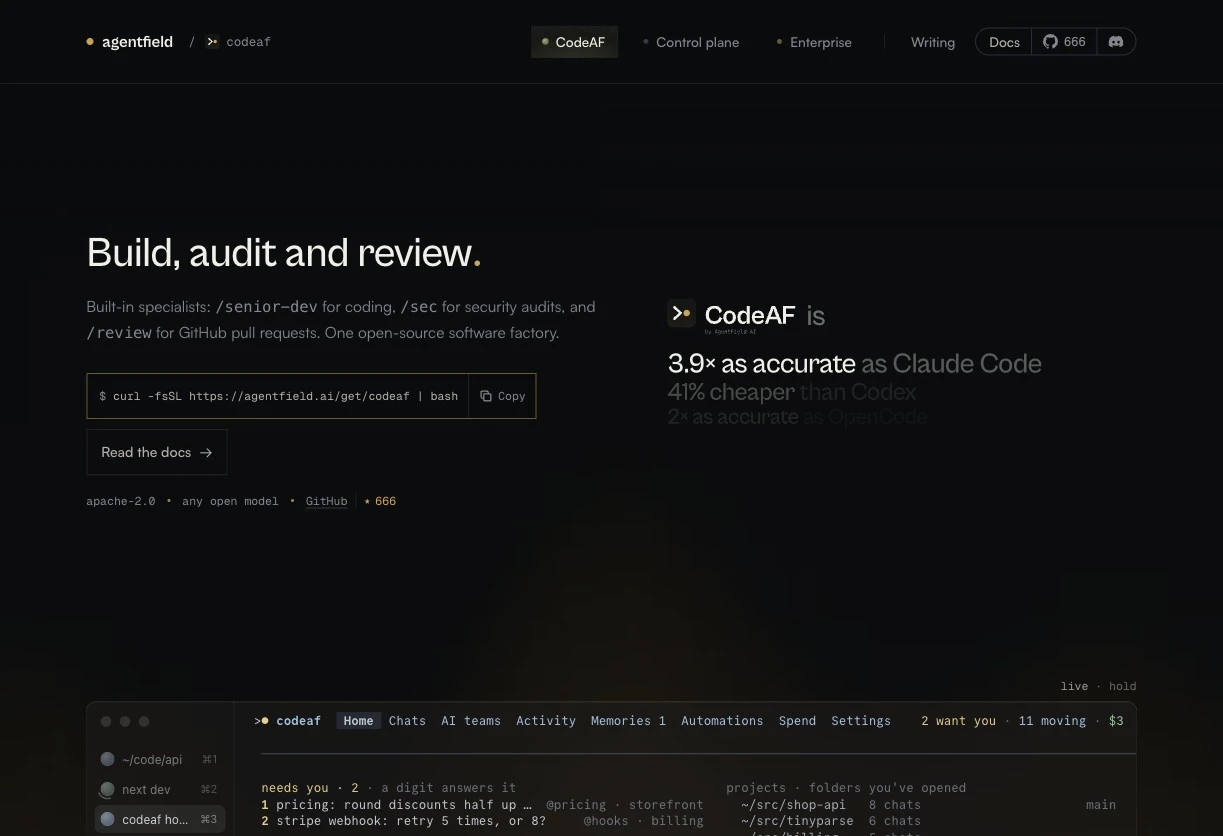 Screenshot of the official CodeAF website, captured November 10, 2026. The comparison figures shown are vendor benchmark claims; this tutorial does not independently measure them.
Before You Start
- macOS or Linux for the built-in specialists. The general application also supports Windows, but these specialists are unavailable in Windows builds.
- Git, Python 3.9 or later, and basic terminal knowledge.
- A working model-provider connection with available credit, or a configured local provider. Open-source software still incurs charges when it calls a paid model API.
1. Install CodeAF and Connect a Provider
Run the official installer, then check the installed version:
curl -fsSL https://agentfield.ai/get/codeaf | bash
codeaf version
If your shell cannot find codeaf, open a new terminal or add its installation directory:
export PATH="$HOME/.codeaf/bin:$PATH"For an OpenRouter connection, run:
codeaf connect openrouterFollow the browser sign-in flow. Alternatively, launching codeaf without a connection opens a provider chooser, followed by basic settings for the model and daily spending limit. An existing connection skips that chooser. See the first-run guide and connection troubleshooting.
2. Create a Small Repository with a Reproducible Bug
Use a separate practice repository. This helper is meant to retry a temporary failure, but currently makes only one attempt.
mkdir codeaf-retry-demo
cd codeaf-retry-demo
git init -b main
printf '__pycache__/\n' > .gitignore

cat > retry.py <<'PY'
def retry(operation, max_attempts=3):
    """Call an operation, retrying temporary failures."""
    return operation()
PY

cat > test_retry.py <<'PY'
import unittest

from retry import retry


class RetryTests(unittest.TestCase):
    def test_immediate_success(self):
        self.assertEqual(retry(lambda: "ok"), "ok")

    def test_recovers_after_temporary_failures(self):
        attempts = []

        def flaky():
            attempts.append(1)
            if len(attempts) < 3:
                raise ConnectionError("temporary")
            return "recovered"

        self.assertEqual(retry(flaky, max_attempts=3), "recovered")
        self.assertEqual(len(attempts), 3)

    def test_stops_at_attempt_limit(self):
        attempts = []

        def unavailable():
            attempts.append(1)
            raise ConnectionError("still unavailable")

        with self.assertRaisesRegex(ConnectionError, "still unavailable"):
            retry(unavailable, max_attempts=2)
        self.assertEqual(len(attempts), 2)

    def test_invalid_limit_does_not_call_operation(self):
        attempts = []
        with self.assertRaises(ValueError):
            retry(lambda: attempts.append(1), max_attempts=0)
        self.assertEqual(attempts, [])


if __name__ == "__main__":
    unittest.main()
PY

python3 -m unittest -v
The starter should report four tests: two failures and one error. Only immediate success passes. The other tests expose missing retries, an incorrect attempt count, and missing input validation. They use no network requests or delays.
Record that starting point and switch to a working branch:
git add .gitignore retry.py test_retry.py
git commit -m "Add retry helper and regression tests"
git switch -c tutorial/retry-fix
codeaf
3. Set Limits and Understand the Specialists
Inside CodeAF, enter these commands separately:
/budget conversation 2
/crew
The first limits this conversation to $2. The second opens the crew configuration: a worker implements tasks, a planner structures them, and a checker evaluates results. Each seat can use a different model. A low limit may stop work before completion; inspect the ending before treating a task as done. Crew configuration, spending controls.
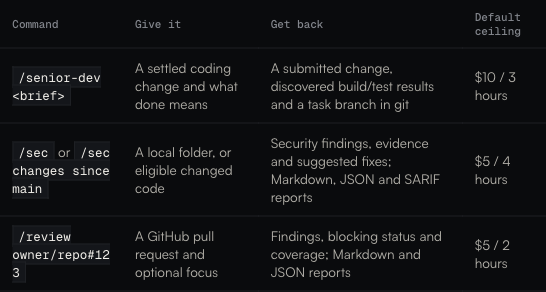 Screenshot of the specialist reference, captured November 10, 2026. The table shows default ceilings; a conversation's remaining allowance can lower them.
Choose the tool that matches the job:
| Command | Use it for | Evidence to inspect |
|---|---|---|
/senior-dev | Implementing a settled coding change | Submitted code, task branch, actual build and test results |
/sec | Auditing local source for security problems | Findings, scope, confidence, and coverage |
/review owner/repo#123 | Reviewing a GitHub pull request | Findings and the specific commit reviewed |
/sec and /review use read-only source tools and run no tests, builds, applications, or exploits. Posting a review or implementing a suggested fix is a separate action. See the specialist overview.
4. Hand the Fix to the Coding Specialist
Paste this into the CodeAF conversation:
/senior-dev Fix retry.py. max_attempts includes the initial call and must be a positive integer; reject booleans and non-integers with ValueError before calling operation. Retry only ConnectionError, returning the first successful result. After the last allowed attempt, re-raise that attempt's exception. Propagate every other exception immediately. Keep the public signature and existing tests unchanged. Add tests for the additional validation cases and non-retryable errors. Use only the Python standard library; no sleeps or network calls. Done means python3 -m py_compile retry.py and python3 -m unittest -v both pass. Report the commands, outcomes, and task branch. Leave merging to me.The coding specialist starts immediately. Open its task to follow progress. In a repository with Git history, it works in a private copy on its own task branch. Its submission freezes the tree, and the harness runs build and test checks on that submitted version. You can steer it before submission, but later notes cannot change a frozen hand-in. Coding workflow and branch behavior.
For a terminal run with explicit verification commands, quit the chat and use this alternative to the slash command:
codeaf senior-dev run \
  --max-cost 2 \
  --verify-build "python3 -m py_compile retry.py" \
  --verify-test "python3 -m unittest -v" \
  -- "Fix retry.py to retry only ConnectionError up to max_attempts total calls. Require a positive integer excluding bool, raising ValueError before calling operation otherwise. Re-raise the final ConnectionError, propagate other exceptions, preserve existing tests, and add coverage for validation and non-retryable errors. Use no external dependencies or sleeps."
Flags go before the brief. These verification overrides are documented in the senior-dev reference.
5. Inspect the Branch and Verify the Fix
Read the task's ending for its branch name, changed files, actual checks, and any incomplete work. In another terminal in the demo repository, substitute that reported branch below:
git branch --list 'task/*'
git diff tutorial/retry-fix...task/REPLACE-WITH-REPORTED-BRANCH
git switch task/REPLACE-WITH-REPORTED-BRANCH
python3 -m py_compile retry.py
python3 -m unittest -v
All four original tests should pass, together with the new cases. Check that the implementation preserves the final exception, avoids retrying unrelated errors, and validates the limit before invoking the callback. A successful task label is useful only alongside the actual verification results.
When satisfied, integrate the reviewed branch:
git switch tutorial/retry-fix
git merge --no-ff task/REPLACE-WITH-REPORTED-BRANCH
python3 -m unittest -v
These commands assume you asked CodeAF to leave merging to you and the work has not already landed. Check git status and the task ending first.
6. Audit Local Code or Review a GitHub Pull Request
Reopen codeaf in the demo repository and enter:
/sec changes since mainThis audits eligible changed code against main. Use /sec for a whole-repository audit. The task record can contain sec-report.md, sec-report.json, and sec-report.sarif. Read the scope and any “analysis incomplete” status. This tiny helper may produce no findings; source analysis does not establish that a system is secure, and this specialist does not query a live vulnerability database. Security audit scope and reports.
Once you have pushed a branch and opened a GitHub pull request, replace the placeholder with your real PR:
/review owner/repo#123 focus on retry boundaries and exception handlingThe review analyzes the commit on GitHub, so unpushed local edits are excluded. Inspect review-report.md, review-report.json, and the coverage status. A partial review can still have useful findings; it is not a complete approval. Analysis posts nothing to GitHub. Rerun it if the PR changes before using the saved result. Pull-request review workflow.
7. Try a Team with a Manager
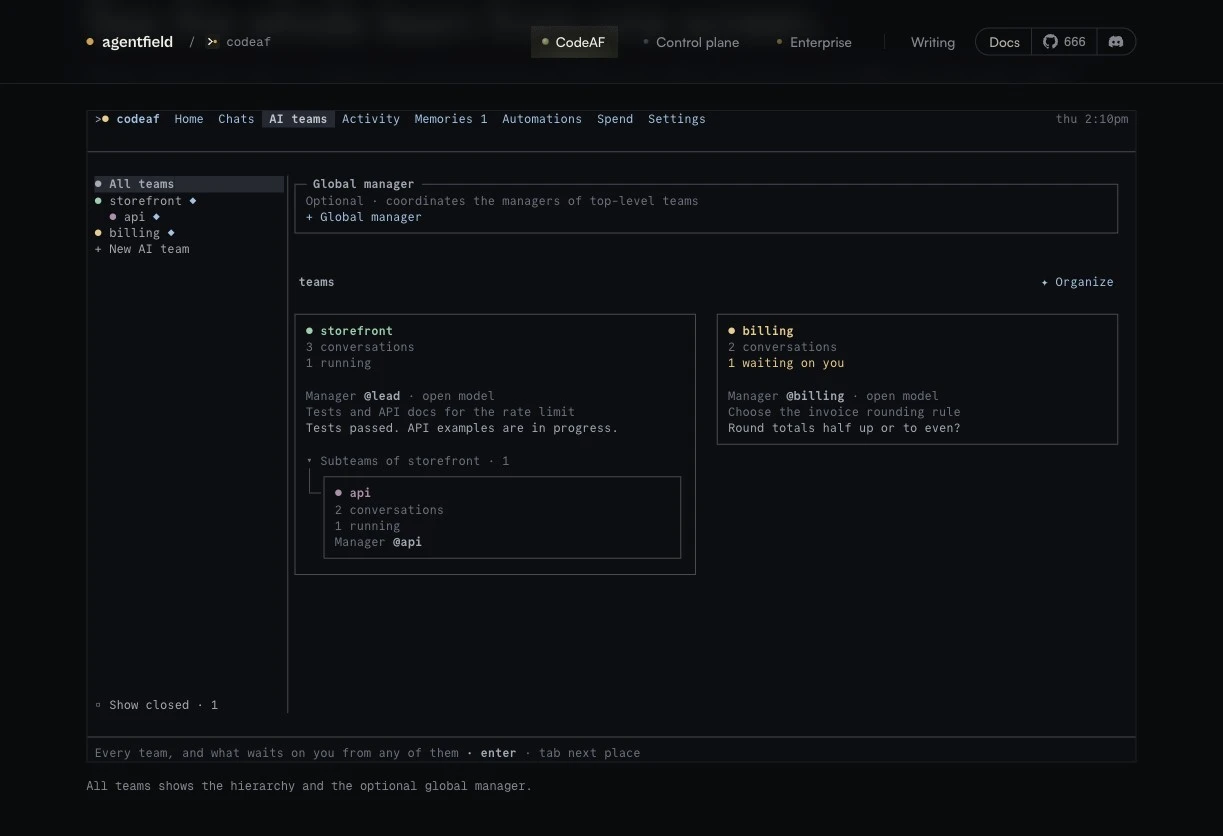 Screenshot of the team demonstration on the official website, captured November 10, 2026. The displayed storefront and billing projects are product examples.
Open /teams, then:
- Choose + New team, name it
retry-demo, and select a color. - Use + Add chat to create documentation and testing conversations for this repository.
- Choose + Manager to create a manager, or Choose AI manager to assign an existing member.
- Open the manager conversation and send the following goal.
Prepare this retry helper for another developer. Ask the documentation member to write README.md with usage and exception behavior. Ask the testing member to independently inspect retry.py and run python3 -m unittest -v, reporting uncovered cases without editing the implementation. Let them work independently. Give me their evidence and any unresolved issues before proposing a merge.A team groups conversations; its manager is another conversation that coordinates them. Creating the team alone starts no model work. Return to Teams to read member previews and questions. The testing member here is a normal conversation that can run commands; the GitHub /review specialist has a different scope. Team setup, manager responsibilities.
8. Use Headless Mode from a Script
For a separate practice run, do provides planning, implementation, and a checker without an interactive chat:
codeaf do "Inspect retry.py and the tests. Fix any uncovered retry boundary bug, preserving the public API. Add a regression test for any fix and run python3 -m unittest -v." \
  --json --timeout 10m > codeaf-result.json
result_code=$?
cat codeaf-result.json
printf 'Exit code: %s\n' "$result_code"
Unlike the coding specialist's task branch, headless do edits the current folder in place and makes decisions without pausing for questions. Use a disposable checkout or a clean practice branch. Its JSON includes ok, stop, answer, files, and spend_usd. Check both the exit code and the result: 0 means done, 1 could not run, 2 unfinished, 3 stopped by a limit, and 124 means the do timeout elapsed. Headless behavior and exit contract.
Troubleshooting
| Symptom | Next step |
|---|---|
codeaf is not found | Add $HOME/.codeaf/bin to PATH, or open a new terminal |
| Provider rejects a key or cannot pay | Reconnect with codeaf connect openrouter; check the provider account's credit |
| A command from this guide is missing | Check codeaf version, codeaf --help, and the official docs; the manual may be ahead of stable |
| A task stops at the spending limit | Inspect its ending and partial work before deciding whether to raise the allowance |
| Build or test verification is missing | Use explicit --verify-build and --verify-test flags on the coding specialist |
Use CodeAF's troubleshooting guide for installation and provider errors. For your next project, reuse the same workflow: give the agent a bounded change, define observable completion, and inspect the submitted code and evidence before integrating it.