Getting Started with AnyGen.io: Your AI Productivity Partner

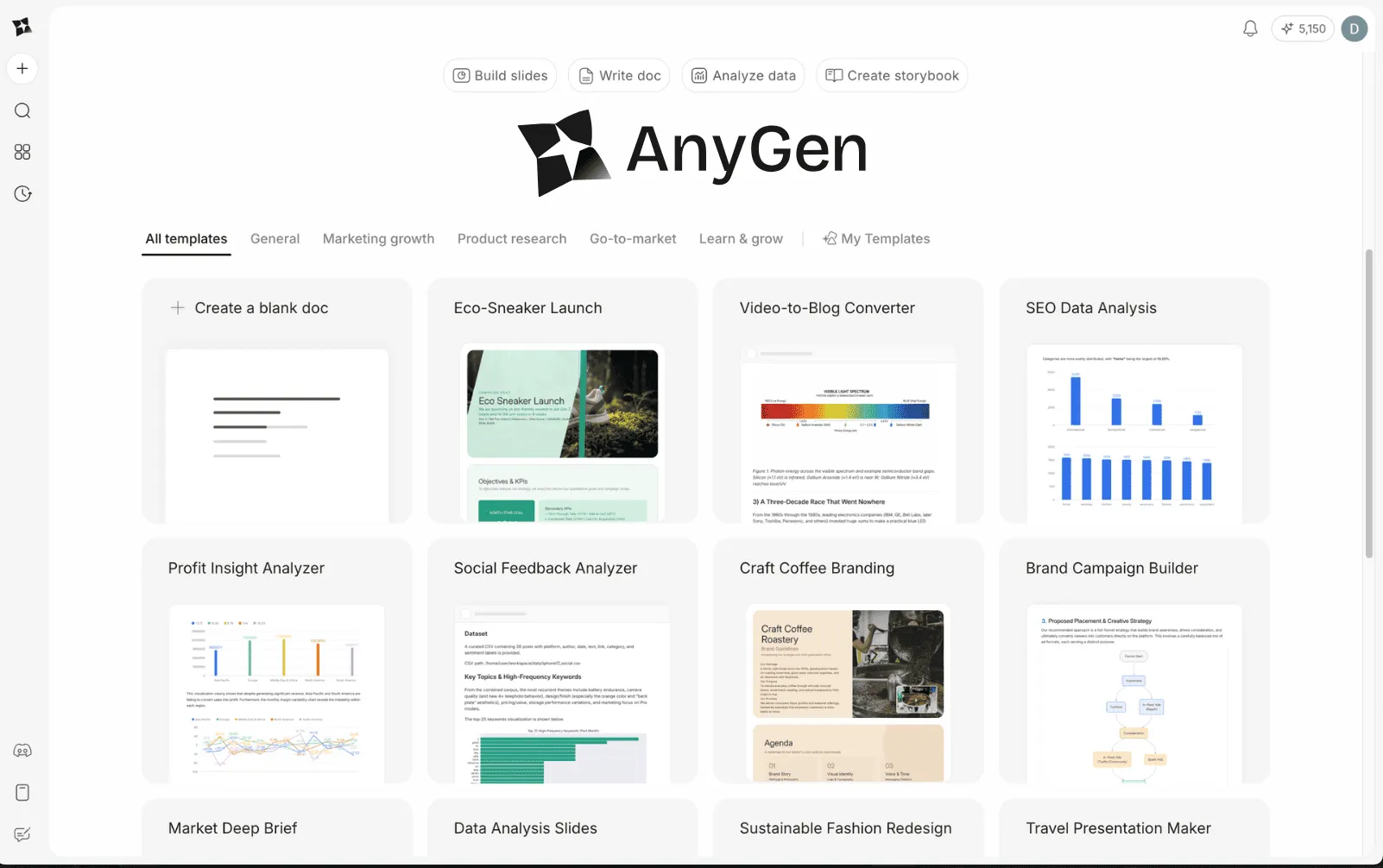
This guide covers the core concepts and workflows to help you move from idea to publishable output seamlessly.
Core Concepts
1. The Conversation-First Approach
Most AI tools guess what you want based on a single prompt. AnyGen "builds with you." When you start a task, the system asks clarifying questions to shape the structure, tone, and audience of your content. This ensures the first draft is significantly closer to your final goal.
2. Edit in Flow
Context switching kills productivity. AnyGen allows you to refine content without leaving the editor. You can highlight text to adjust tone, expand thoughts, or summarize key points directly within the document interface.
3. Traceable Insights
For data tasks, trust is paramount. AnyGen does not just predict numbers; it writes and executes code (Python/SQL) to analyze your uploaded data. This provides verifiable results rather than AI hallucinations.
Workflow 1: Creating Intelligent Documents
The Document workspace is where ideas take shape. It is optimized for reports, blog posts, and strategic briefs.
Step-by-Step
- Initiate the Project: Select Write Doc from the dashboard.
- Contextual Conversation: Write with your own ideas or use one of the suggested prompts.
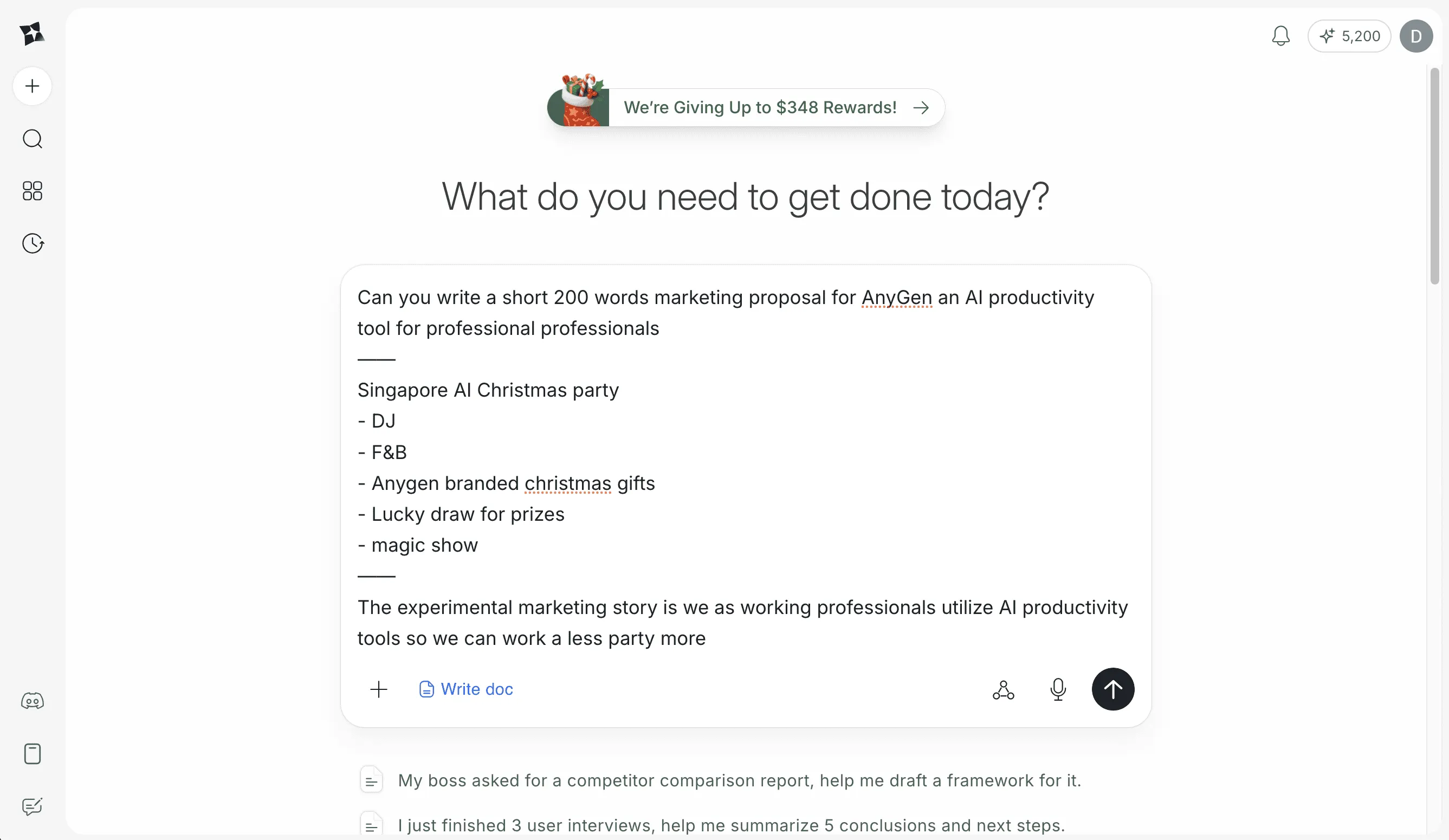
- Draft Generation: AnyGen generates a structured draft based on the conversation.
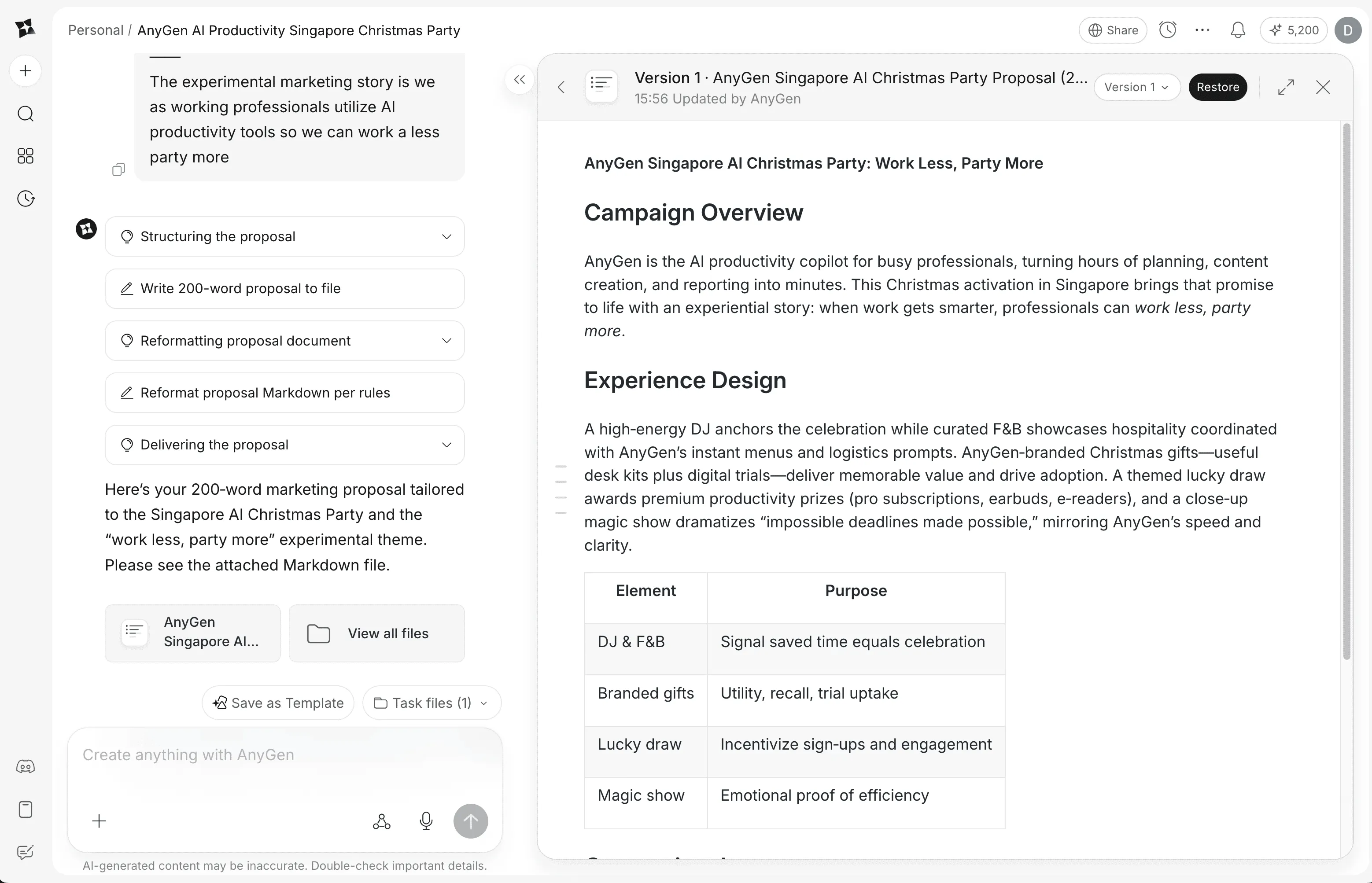
- Refinement: Select the content, and use different tools to polish the text.
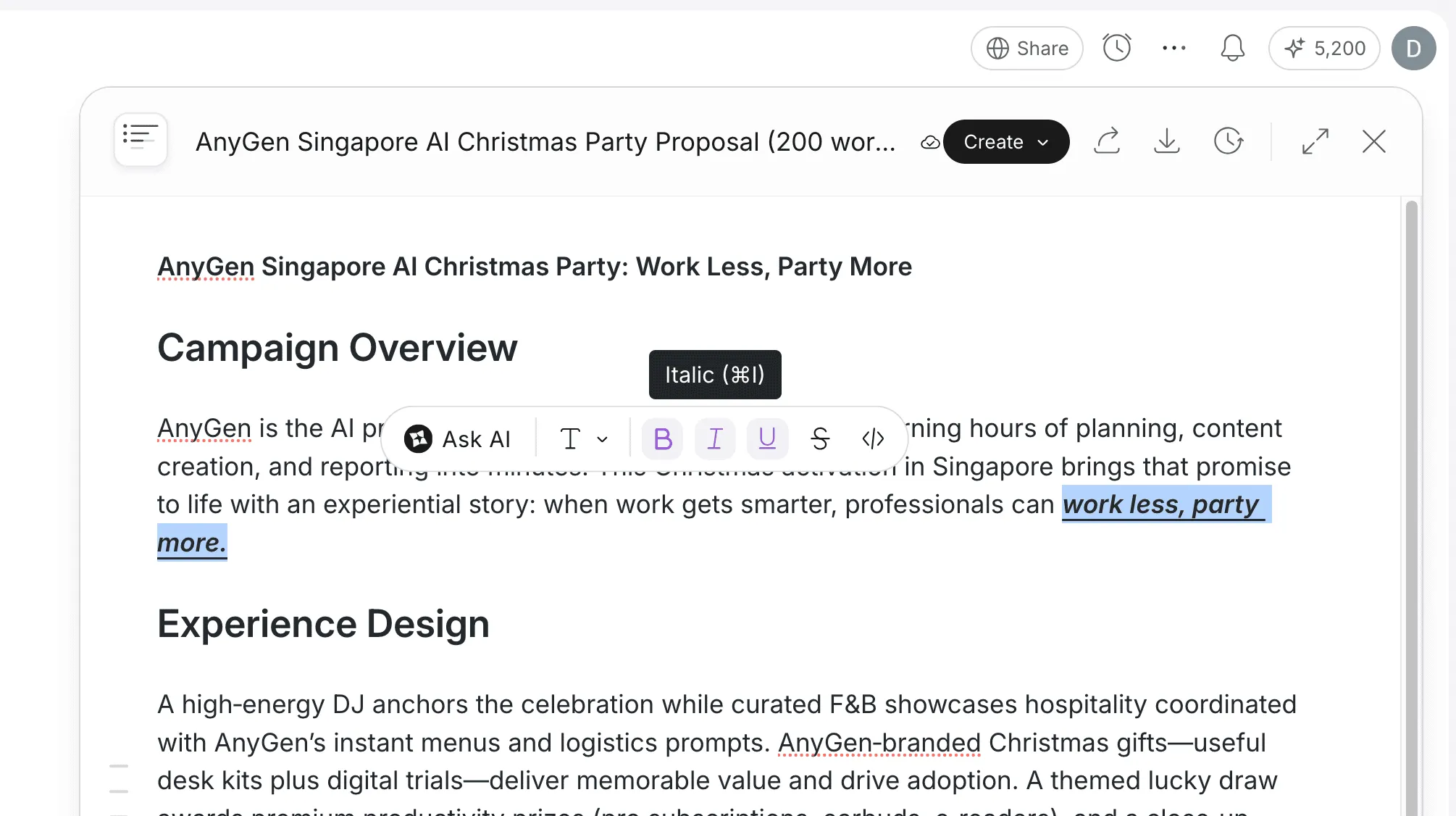
Ask AI Feature
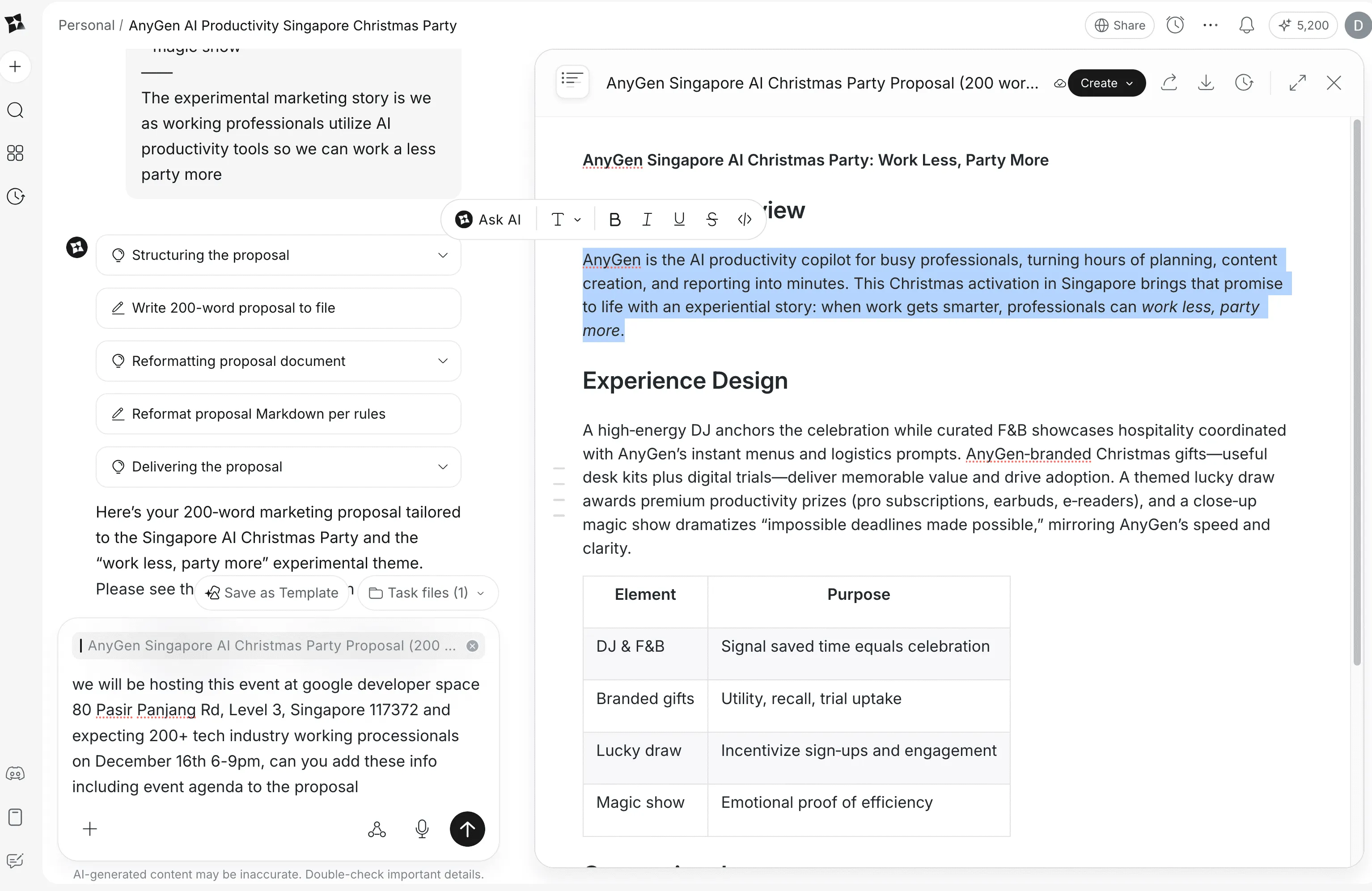
The Ask AI feature lets you refine specific parts of your document without rewriting from scratch. Simply highlight any text, and a floating toolbar appears with the "Ask AI" option.
How to Use It:- Select the text you want to modify.
- Click the Ask AI button in the floating toolbar.
- Type your instruction in natural language.
- Review and accept the AI-generated revision.
- Expand content: "Add more details about the benefits"
- Polish wording: "Make this sound more professional"
- Simplify: "Explain this in simpler terms"
- Change tone: "Rewrite this to be more persuasive"
- Add examples: "Include a real-world example here"
> Pro Tip: Be specific with your instructions. Instead of "make it better," try "make this paragraph more concise while keeping the key statistics."
Workflow 2: From Document to Presentation
One of AnyGen's most powerful features is converting written content into ready-to-present slides. It preserves the logic and structure of your document while adapting it for visual impact.
How to Convert
- Open your finalized Document.
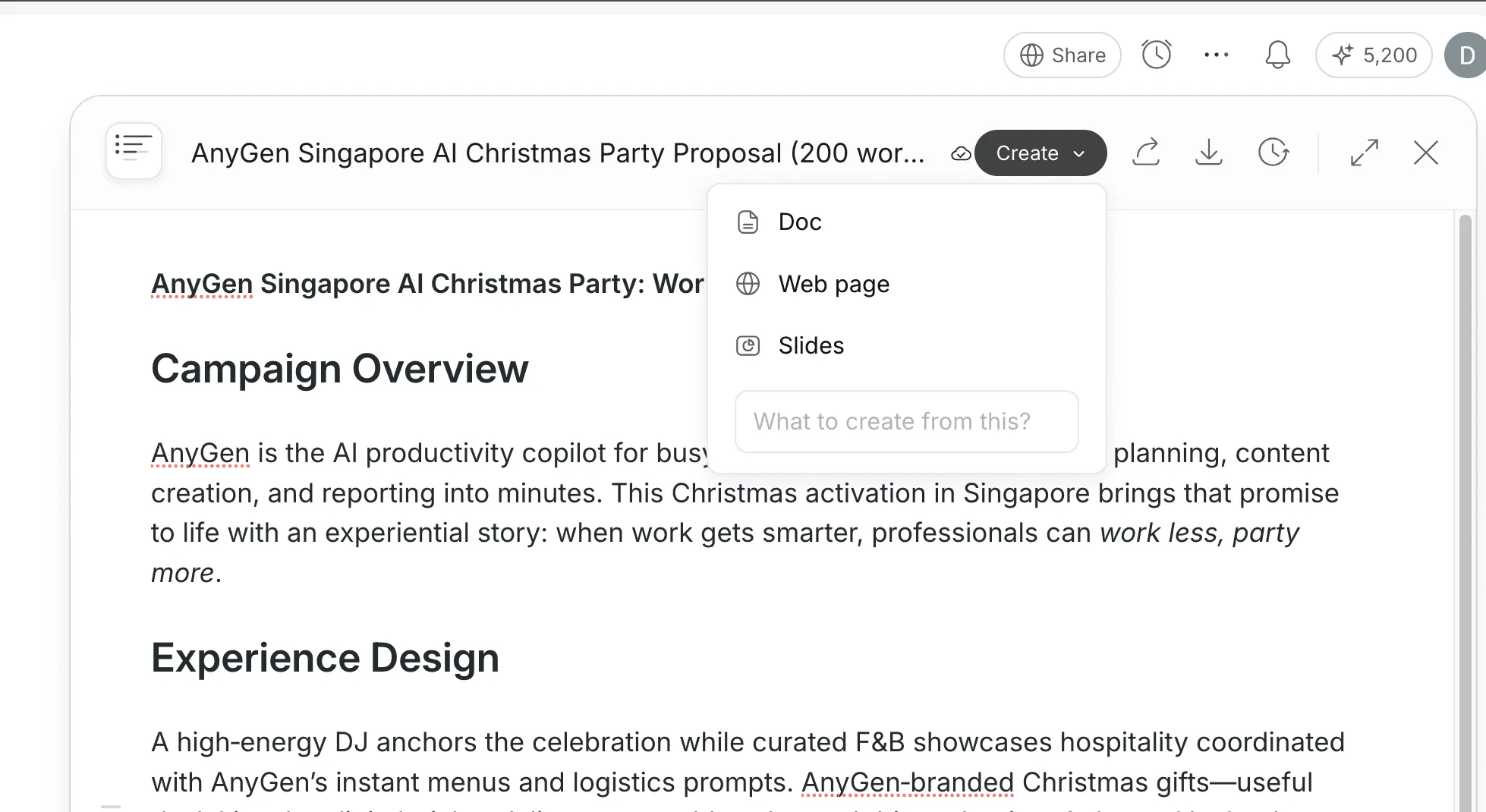
- Click the Create button and click the Slides option.
- AnyGen maps your headers to slide titles and your bullet points to slide content, automatically selecting layouts that fit the information density.
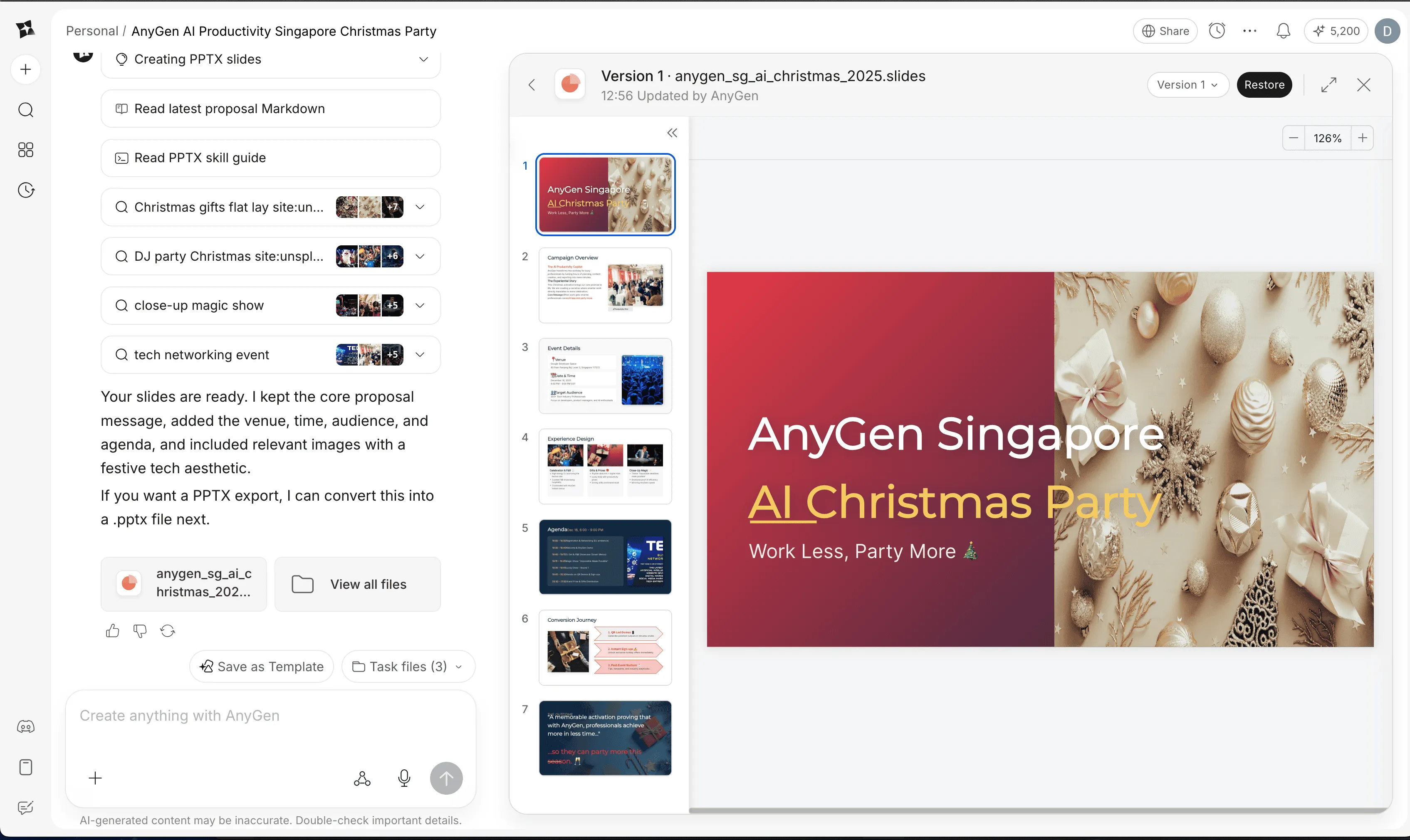
> Tip: Ensure your document uses clear Heading 1 and Heading 2 structures for the best slide transition.
Workflow 3: Data Analysis with Verifiable Code
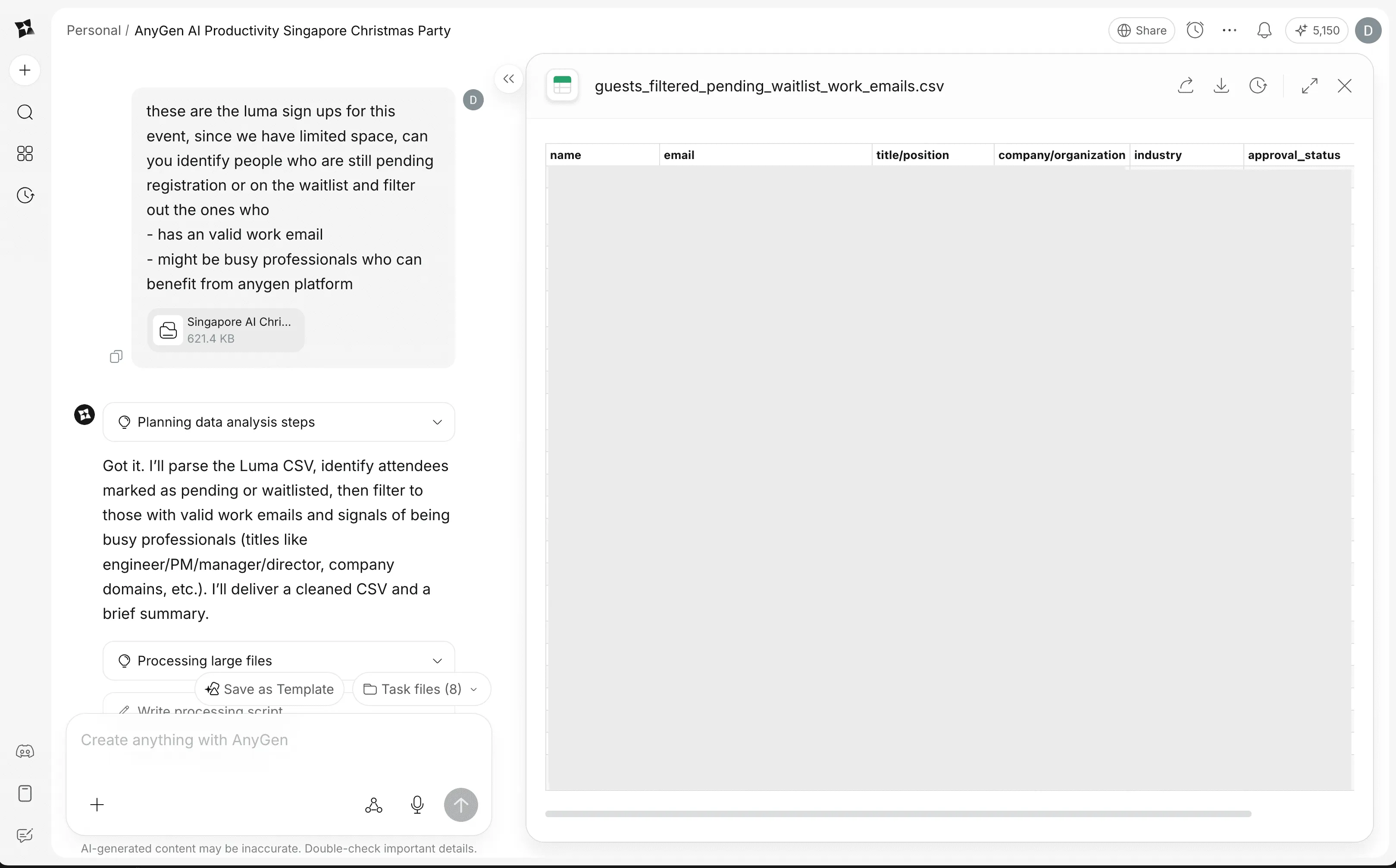
The Data Analysis module allows you to chat with your CSV files. It bridges the gap between raw data and actionable insights by generating the actual code used to calculate answers.
The Process
- Upload Data: Drag and drop your CSV file into the Data Analysis tab.
- Ask Questions: Query your data in plain English.
- Verify the Output: AnyGen displays the answer alongside the code it used to derive it.
Code Generation Example
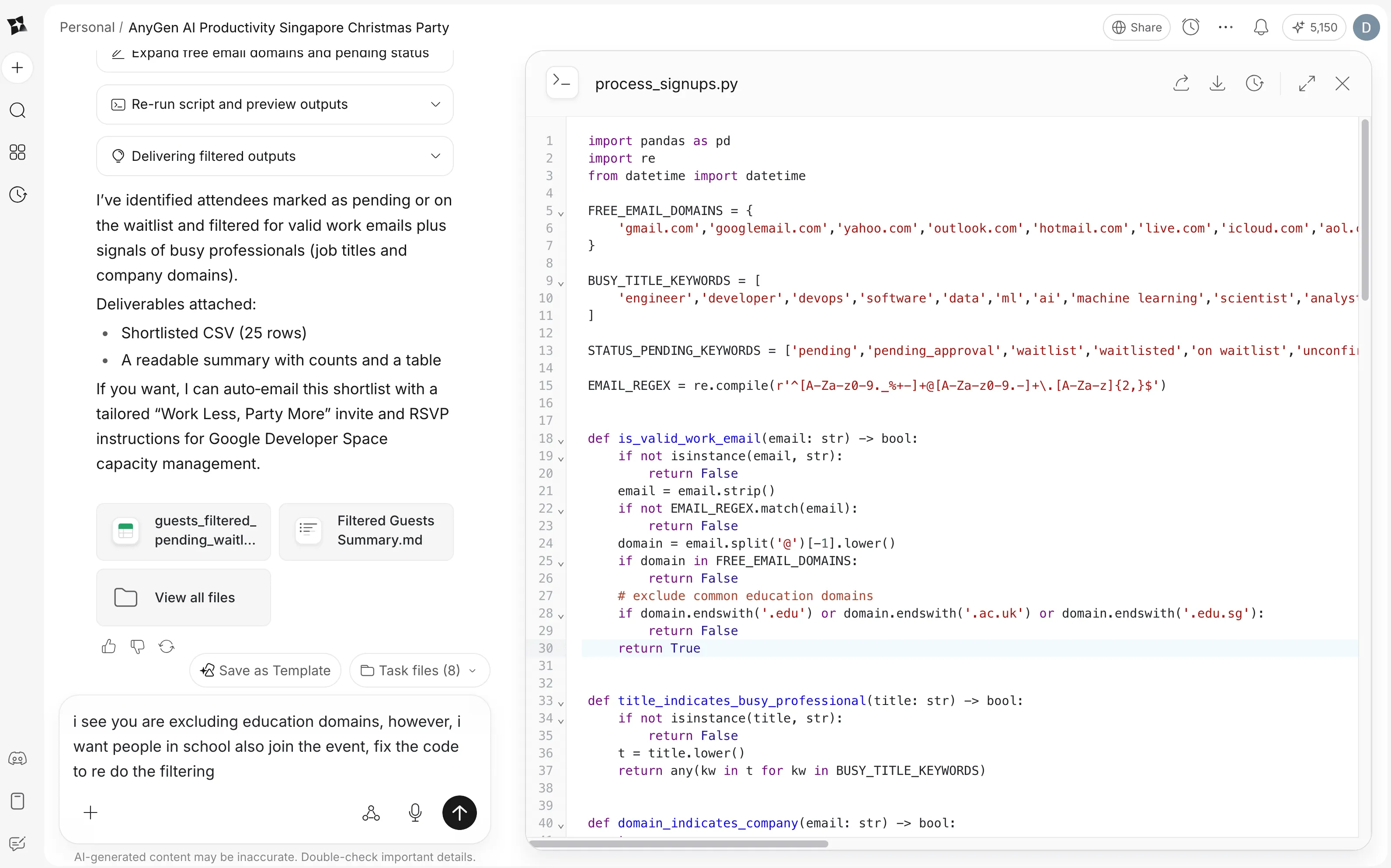
When you ask for a trend analysis, AnyGen generates and executes Python code similar to this context:
import pandas as pd
import re
from datetime import datetime

FREE_EMAIL_DOMAINS = {
    'gmail.com','googlemail.com','yahoo.com','outlook.com','hotmail.com','live.com','icloud.com','aol.com','proton.me','protonmail.com','gmx.com','mail.com','zoho.com','yandex.com','fastmail.com','pm.me','qq.com','privaterelay.appleid.com','hey.com'
}

BUSY_TITLE_KEYWORDS = [
    'engineer','developer','devops','software','data','ml','ai','machine learning','scientist','analyst','product','pm','manager','lead','director','vp','chief','cto','cpo','ceo','founder','consultant','architect','security','cloud','platform','operations','ops','growth','sales','marketing'
]

STATUS_PENDING_KEYWORDS = ['pending','pending_approval','waitlist','waitlisted','on waitlist','unconfirmed']

EMAIL_REGEX = re.compile(r'^[A-Za-z0-9._%+-]+@[A-Za-z0-9.-]+\.[A-Za-z]{2,}$')


def is_valid_work_email(email: str) -> bool:
    if not isinstance(email, str):
        return False
    email = email.strip()
    if not EMAIL_REGEX.match(email):
        return False
    domain = email.split('@')[-1].lower()
    if domain in FREE_EMAIL_DOMAINS:
        return False
    # exclude common education domains
    if domain.endswith('.edu') or domain.endswith('.ac.uk') or domain.endswith('.edu.sg'):
        return False
    return True
...
Iterating on Data Processing Logic
Notice something wrong with the analysis? You can ask AnyGen to modify the code directly. In the example above, the code excludes education domains (.edu, .edu.sg, .ac.uk). But what if you want to include students in your analysis?
Simply tell AnyGen: "I want people in school to also join the event, fix the code to re-do the filtering."
AnyGen will:
- Update the code logic to allow education domains
- Re-run the analysis with the corrected filters
- Show you the updated results
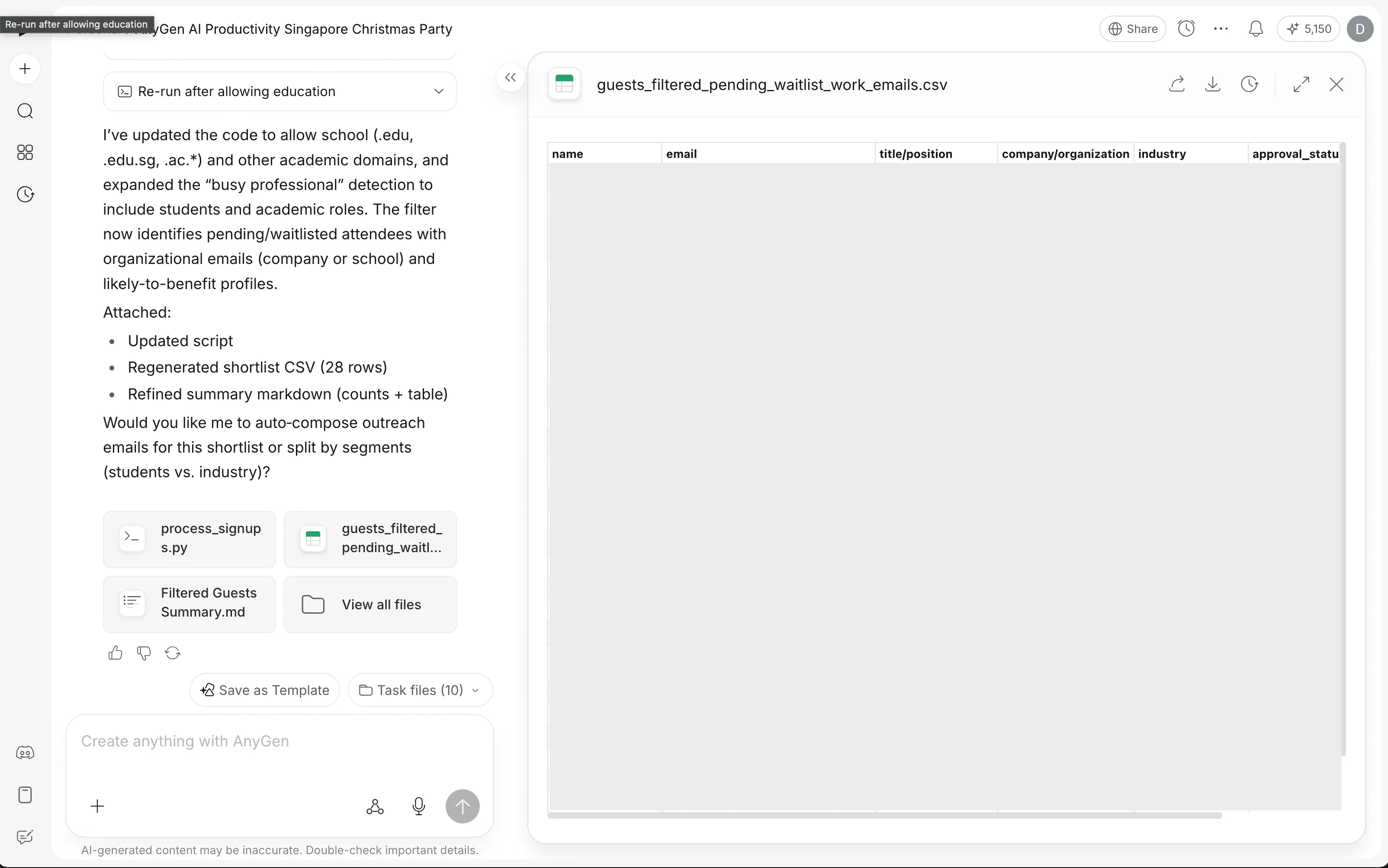
> Why This Matters: Unlike traditional AI that might hallucinate statistics, AnyGen's code-based approach means every number is traceable. You can inspect, modify, and re-run the exact logic used to generate your insights. This makes your data analysis verifiable and reproducible.
Get Started with AnyGen
🎉 Exclusive Offer! Try AnyGen free for 1 month and experience the power of AI-driven productivity. Create intelligent documents, generate presentations, and analyze data with verifiable insights.