Oxylabs: AI 対応データ収集のための Web Scraper API

ようこそ!このチュートリアルでは、Oxylabs Web Scraper API を使用して、Web サイトから構造化データを大規模に抽出する方法を学びます。RAG パイプライン、トレーニングデータセット、またはリアルタイムの市場インテリジェンスツールを構築する場合でも、Oxylabs は 99% 以上の成功率とサブ秒の応答時間でエンタープライズグレードの Web データ収集を提供します。
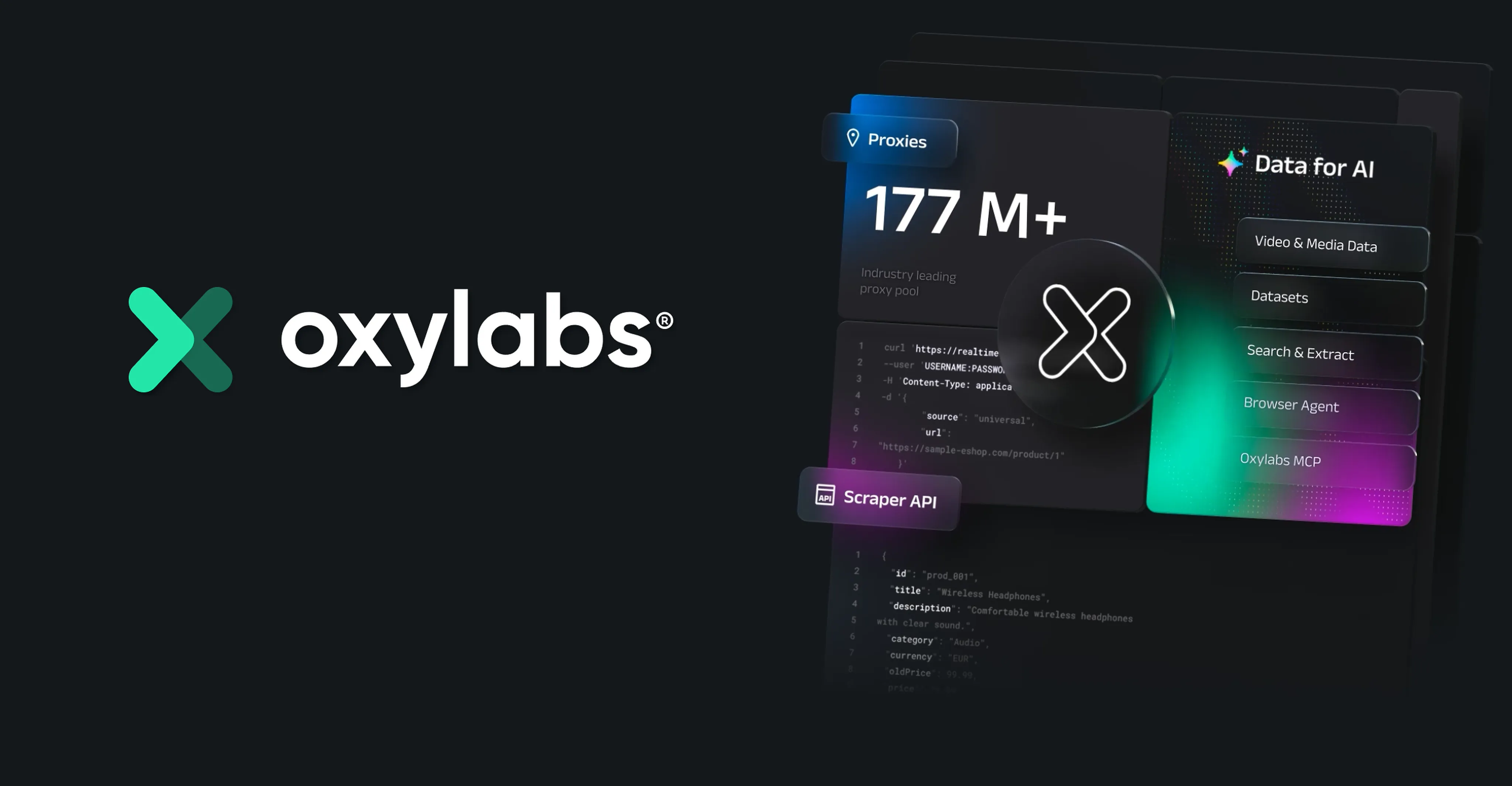
Oxylabs Web Scraper API を選ぶ理由
- ユニバーサルカバレッジ:
universalソースを使用してあらゆる公開 Web サイトをスクレイピングするか、Amazon、Google、YouTube、および 30 以上のプラットフォーム向けの専用パーサーを使用 - 構造化データ:
parse=trueで生の HTML ではなく解析済みの JSON レスポンスを取得 - ジオターゲティング: 世界中の任意の場所から地域固有のコンテンツにアクセス
- エンタープライズ信頼性: SOC 2 Type II 認証、99% 以上の成功率、平均応答時間 1 秒未満
- AI 統合: LangChain、CrewAI、AutoGen などへのネイティブサポート
ドキュメント
セットアップ
依存関係のインストール
# !pip install requests python-dotenv beautifulsoup4環境設定
プロジェクトのルートに .env ファイルを作成し、Oxylabs の認証情報を追加してください。
OXYLABS_USERNAME=your_username
OXYLABS_PASSWORD=your_password
認証情報は Oxylabs Dashboard から取得できます。
import os
import json
import requests
from dotenv import load_dotenv

load_dotenv()

OXYLABS_USERNAME = os.getenv("OXYLABS_USERNAME")
OXYLABS_PASSWORD = os.getenv("OXYLABS_PASSWORD")

assert OXYLABS_USERNAME and OXYLABS_PASSWORD, "Please set OXYLABS_USERNAME and OXYLABS_PASSWORD in your .env file"
print("✓ Oxylabs credentials loaded successfully")
✓ Oxylabs credentials loaded successfully
基本的な使い方: あらゆる Web サイトのスクレイピング
Web Scraper API を使用する最もシンプルな方法は、あらゆる公開 URL で動作する universal ソースを使用することです。
# Basic request to scrape any website
payload = {
    "source": "universal",
    "url": "https://sandbox.oxylabs.io/"
}

response = requests.post(
    "https://realtime.oxylabs.io/v1/queries",
    auth=(OXYLABS_USERNAME, OXYLABS_PASSWORD),
    json=payload
)

print(f"Status Code: {response.status_code}")
data = response.json()
print(f"Response keys: {list(data.keys())}")
print(f"\nContent length: {len(data['results'][0]['content'])} characters")
print(f"\nFirst 500 characters of content:\n{data['results'][0]['content'][:500]}")
Status Code: 200 Response keys: ['job', 'results'] Content length: 18337 characters First 500 characters of content: <!DOCTYPE html><html lang="en"><head><meta charSet="utf-8"/><meta name="viewport" content="width=device-width"/><link rel="icon" href="/favicon.ico"/><title>Scraping Sandbox | Oxylabs</title><meta name="description"/><meta property="og:title" content="Scraping Sandbox | Oxylabs"/><meta property="og:description"/><meta property="og:developer"/><meta property="og:platform"/><meta property="og:type"/><meta property="og:currency"/><meta property="og:price"/><meta property="og:image" content="https:/
構造化データの解析
parse=true を使用して、生の HTML の代わりに構造化 JSON データを取得します。これは google_search のような専用ソースタイプと組み合わせることで特に強力です。
# Scrape Google search results with structured parsing
payload = {
    "source": "google_search",
    "query": "artificial intelligence tutorials 2025",
    "geo_location": "United States",
    "parse": True
}

response = requests.post(
    "https://realtime.oxylabs.io/v1/queries",
    auth=(OXYLABS_USERNAME, OXYLABS_PASSWORD),
    json=payload
)

data = response.json()
results = data["results"][0]["content"]

print("=== Google Search Results (Parsed) ===\n")
print(f"Total organic results: {len(results.get('results', {}).get('organic', []))}\n")

# Display top 5 organic results
for i, result in enumerate(results.get("results", {}).get("organic", [])[:5], 1):
    print(f"{i}. {result.get('title', 'N/A')}")
    print(f"   URL: {result.get('url', 'N/A')}")
    print(f"   Snippet: {result.get('desc', 'N/A')[:100]}...")
    print()
=== Google Search Results (Parsed) === Total organic results: 6 1. Understanding AI: AI tools, training, and skills - Google AI URL: https://ai.google/learn-ai-skills/ Snippet: Explore AI resources on YouTube. Discover a curated collection of AI tutorials, explainers, and demo... 2. How to Learn AI From Scratch in 2026: A Complete Guide ... URL: https://www.datacamp.com/blog/how-to-learn-ai Snippet: Find out everything you need to know about learning AI in 2026, from tips to get you started, helpfu... 3. How to Learn AI in 2025: A Guide for Beginners URL: https://www.digitalocean.com/resources/articles/how-to-learn-ai Snippet: Apr 11, 2025 — Explore how to learn AI for beginners with easy-to-follow steps, resources, and real-... 4. Top 5 AI tutorials 2025: From AI basics to building agents URL: https://allthingsopen.org/articles/5-best-ai-tutorials-2025-basics-ml-prompts-mcp-agents-goose Snippet: Dec 30, 2025 — These five tutorials form a complete learning path, starting with how AI observes pat... 5. AI Courses + Training URL: https://www.codecademy.com/catalog/subject/artificial-intelligence Snippet: Dive into the world of generative AI (artificial intelligence) and learn how to leverage AI with Cod...
ジオターゲティング
地理的位置を指定することで、地域固有のコンテンツにアクセスします。これは、価格比較、ローカライズされた検索結果、および地域をまたぐ市場調査に役立ちます。
# Compare search results from different locations
locations = ["United States", "United Kingdom", "Germany"]

for location in locations:
    payload = {
        "source": "google_search",
        "query": "best AI tools",
        "geo_location": location,
        "parse": True
    }

    response = requests.post(
        "https://realtime.oxylabs.io/v1/queries",
        auth=(OXYLABS_USERNAME, OXYLABS_PASSWORD),
        json=payload
    )

    data = response.json()
    results = data["results"][0]["content"]
    organic = results.get("results", {}).get("organic", [])

    print(f"\n{'='*50}")
    print(f"Location: {location}")
    print(f"{'='*50}")
    print(f"Top 3 results:")
    for i, result in enumerate(organic[:3], 1):
        print(f"  {i}. {result.get('title', 'N/A')}")
================================================== Location: United States ================================================== Top 3 results: 1. 15 best AI apps I can't live without in 2026 (free + paid) 2. The 18 Best AI Platforms in 2026 – Tested & Reviewed 3. AI Tool Comparison ================================================== Location: United Kingdom ================================================== Top 3 results: 1. 15 best AI apps I can't live without in 2026 (free + paid) 2. The Best AI Tools for 2026 3. The best AI productivity tools in 2026 ================================================== Location: Germany ================================================== Top 3 results: 1. 15 best AI apps I can't live without in 2026 (free + paid) 2. The 18 Best AI Platforms in 2026 – Tested & Reviewed 3. The Best AI Tools for 2026
E コマースのスクレイピング
Oxylabs には、主要な E コマースプラットフォーム向けの専用パーサーがあります。以下は、Amazon の商品データをスクレイピングする例です。
# Scrape Amazon search results with structured parsing
payload = {
    "source": "amazon_search",
    "query": "mechanical keyboard",
    "geo_location": "90210",
    "parse": True
}

response = requests.post(
    "https://realtime.oxylabs.io/v1/queries",
    auth=(OXYLABS_USERNAME, OXYLABS_PASSWORD),
    json=payload
)

data = response.json()
results = data["results"][0]["content"]

print("=== Amazon Search Results ===\n")
# Display product results
products = results.get("results", {}).get("organic", [])
print(f"Found {len(products)} products\n")

for i, product in enumerate(products[:5], 1):
    print(f"{i}. {product.get('title', 'N/A')[:80]}")
    print(f"   Price: {product.get('price_upper', product.get('price', 'N/A'))}")
    print(f"   Rating: {product.get('rating', 'N/A')}")
    print(f"   URL: {product.get('url', 'N/A')[:80]}")
    print()
=== Amazon Search Results === Found 16 products 1. Redragon Mechanical Gaming Keyboard Wired, 11 Programmable Backlit Modes, Hot-Sw Price: 29.99 Rating: 4.3 URL: /Redragon-Programmable-Hot-Swappable-Anti-Ghosting-Double-Shot/dp/B0CF3VGQFL/ref 2. Logitech G413 SE Full-Size Mechanical Gaming Keyboard - Backlit Keyboard with Ta Price: 79.99 Rating: 4.6 URL: /Logitech-Full-Size-Mechanical-Anti-Ghosting-Keys-White/dp/B08Z6X4NK3/ref=sr_1_2 3. AULA F75 Pro Wireless Mechanical Keyboard,75% Hot Swappable Custom Keyboard with Price: 69.99 Rating: 4.7 URL: /F75-Pro/dp/B0D14N2QZF/ref=sr_1_3?dib=eyJ2IjoiMSJ9.ecoE29vY-B6K_qoYdq6ffg_4TVM10 4. Redragon K668 RGB Gaming Keyboard, 108 Keys Wired Mechanical Keyboard w/Extra 4 Price: 39.99 Rating: 4.5 URL: /Redragon-K668-Mechanical-Absorbing-Hot-swappable/dp/B0CDWP1D58/ref=sr_1_4?dib=e 5. Redragon K745 PRO Wireless Gasket RGB Gaming Keyboard, 108 Keys Mechanical Keybo Price: 59.99 Rating: 4.6 URL: /Redragon-K745-PRO-Mechanical-South-Facing/dp/B0FDKPF9QJ/ref=sr_1_5?dib=eyJ2Ijoi
スクレイピングしたデータを AI ワークフローで使用する
Web スクレイピングの最も強力な用途の 1 つは、リアルタイムデータを AI/LLM パイプラインに供給することです。以下は、スクレイピングしたデータを言語モデルで使用するために準備する方法です。
from bs4 import BeautifulSoup

# Scrape a webpage and extract clean text for LLM processing
payload = {
    "source": "universal",
    "url": "https://sandbox.oxylabs.io/"
}

response = requests.post(
    "https://realtime.oxylabs.io/v1/queries",
    auth=(OXYLABS_USERNAME, OXYLABS_PASSWORD),
    json=payload
)

data = response.json()
html_content = data["results"][0]["content"]

# Parse HTML and extract clean text
soup = BeautifulSoup(html_content, "html.parser")

# Remove script and style elements
for script in soup(["script", "style"]):
    script.decompose()

# Get text content
text = soup.get_text(separator="\n", strip=True)

print("=== Extracted Text (first 1000 chars) ===\n")
print(text[:1000])
print(f"\n\n--- Total extracted text length: {len(text)} characters ---")
print("\nThis clean text is now ready to be used as context for LLM queries,")
print("RAG pipelines, or training data preprocessing.")
=== Extracted Text (first 1000 chars) === Scraping Sandbox | Oxylabs Welcome to Oxylabs web scraping sandbox! Feel free to use this website for testing your scraping solutions. Below you will find the key information about what we built for you in here. E-commerce Learn to scrape e-commerce websites or validate your solutions by using our fictional games store . Here you will find the storefront, category and product pages, as well as search pages. Details Amount of items 3000 Pagination Items per page max 32 Requires Javascript only for some data points --- Total extracted text length: 518 characters --- This clean text is now ready to be used as context for LLM queries, RAG pipelines, or training data preprocessing.
ヘルパー関数: 再利用可能なスクレイパー
以下は、プロジェクトで便利に使用できるよう API をラップする再利用可能なヘルパー関数です。
def oxylabs_scrape(url=None, source="universal", query=None, parse=False, geo_location=None):
    """
    Reusable helper function for Oxylabs Web Scraper API.

    Args:
        url: Target URL to scrape (for universal and URL-based sources)
        source: Scraper source type (e.g., 'universal', 'google_search', 'amazon_search')
        query: Search query (for search-based sources)
        parse: Whether to return structured/parsed data
        geo_location: Geographic location for geo-targeted results

    Returns:
        dict: API response data
    """
    payload = {"source": source}

    if url:
        payload["url"] = url
    if query:
        payload["query"] = query
    if parse:
        payload["parse"] = True
    if geo_location:
        payload["geo_location"] = geo_location

    response = requests.post(
        "https://realtime.oxylabs.io/v1/queries",
        auth=(OXYLABS_USERNAME, OXYLABS_PASSWORD),
        json=payload
    )

    if response.status_code == 200:
        return response.json()
    else:
        print(f"Error {response.status_code}: {response.text}")
        return None

# Example usage
result = oxylabs_scrape(url="https://sandbox.oxylabs.io/")
if result:
    print(f"✓ Successfully scraped! Content length: {len(result['results'][0]['content'])} chars")
✓ Successfully scraped! Content length: 18337 chars
まとめ
このチュートリアルでは、以下の方法を学びました。
- 安全な認証情報管理で Oxylabs Web Scraper API をセットアップする
universalソースを使用してあらゆる Web サイトをスクレイピングする- 専用パーサーと
parse=trueを使用して構造化データを取得する - 地域固有の結果のためにリクエストをジオターゲットする
- Amazon のような専用ソースを使用してE コマースをスクレイピングする
- AI/LLM ワークフローのためにスクレイピングしたデータを準備する
主要パラメーターリファレンス
| パラメーター | 説明 | 例 |
|---|---|---|
source |
スクレイパータイプ | universal、google_search、amazon_search |
url |
ターゲット URL | https://example.com |
query |
検索クエリ | "AI tutorials" |
parse |
構造化 JSON を取得 | true / false |
geo_location |
位置情報ターゲティング | "United States"、"90210" |
次のステップ
- クエリを対話的にテストするには API Playground を探索してください
- 30 以上のプラットフォーム向けの専用パーサーを確認してください
- 高度な AI ワークフローには LangChain を統合してください
- さらなる例と統合については Oxylabs GitHub をご覧ください