Getting Started with Qoder: The Agentic Coding Platform

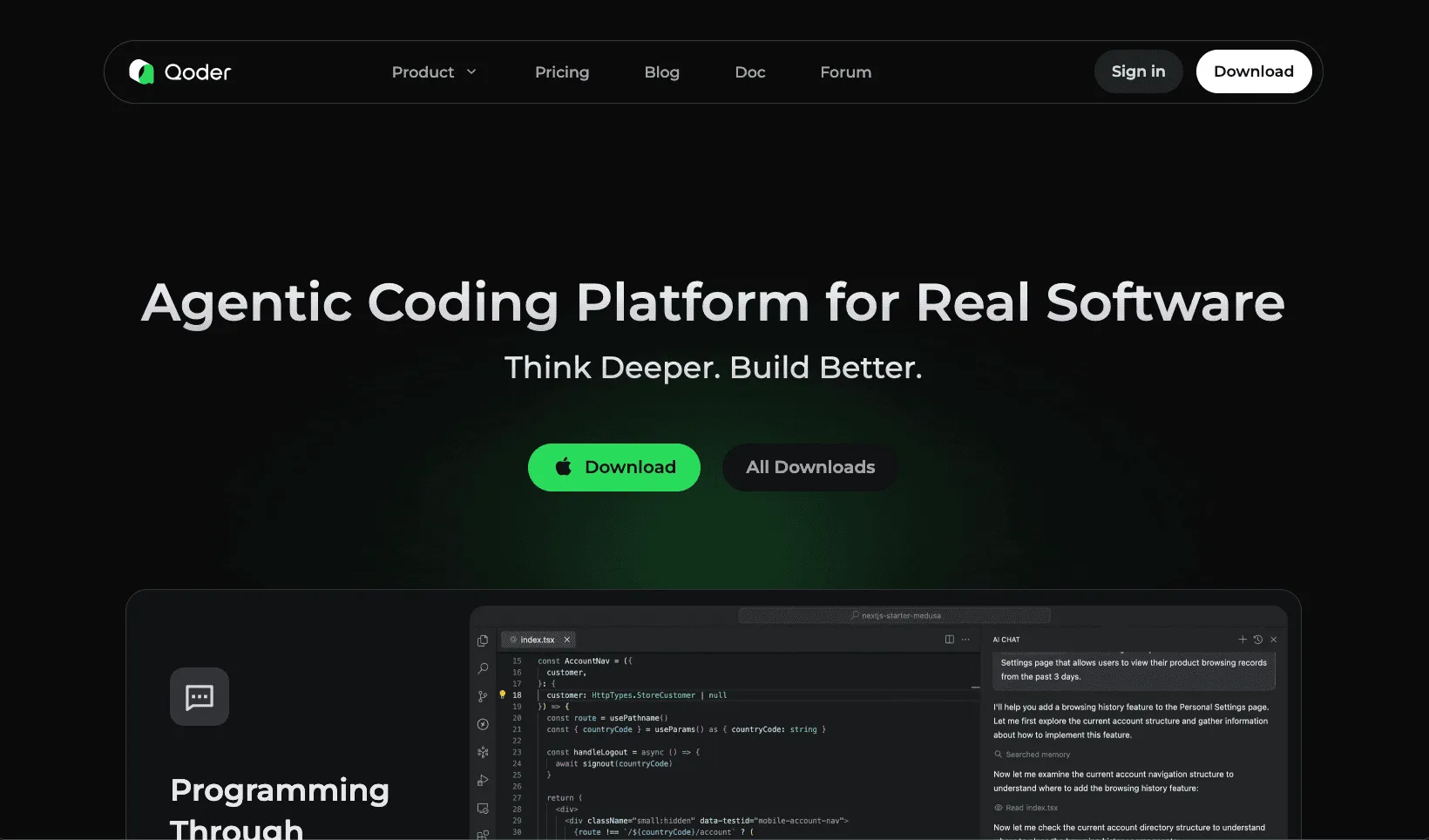
Qoder is an AI-powered IDE that goes beyond code completion. It functions as an autonomous coding partner capable of understanding entire codebases, planning complex tasks, and executing multi-file changes independently.
Installation
Download from qoder.com for Windows, macOS, or Linux. Launch the IDE and authenticate using Google, GitHub, or email. Qoder supports importing settings from VS Code or Cursor during setup.
Core Interaction Modes
Qoder offers three primary modes:
- Ask Mode: Query your codebase with natural language. Ideal for understanding unfamiliar code.
- Agent Mode: Interactive pair programming with real-time AI assistance for coding, debugging, and refactoring.
- Quest Mode: Autonomous execution of complex, long-running tasks through specification-driven workflows.
Code Completion with NES
Next Edit Suggestion (NES) provides context-aware completions that predict subsequent edits across your codebase.
Enable NES in Settings > NES (Cmd+Shift+, on macOS, Ctrl+Shift+, on Windows).
# Type partial code; NES suggests context-aware completions
def calculate_total_price

# NES completes based on project context:
def calculate_total_price(items: list[Item], discount: float = 0.0) -> float:
    subtotal = sum(item.price * item.quantity for item in items)
    return subtotal * (1 - discount)
Keyboard Shortcuts:
- Trigger suggestion: Option+P (macOS) / Alt+P (Windows)
- Accept suggestion: Tab
- Reject suggestion: Esc
Inline Chat
Edit code directly through conversation without switching contexts.
- Select code or place cursor on a line
- Press
Cmd+I(macOS) orCtrl+I(Windows) - Enter instruction and press
Cmd+Enterto apply
// Select this function, invoke inline chat: "Add error handling"
function fetchUserData(userId) {
    return fetch(`/api/users/${userId}`).then(r => r.json());
}

// Result after applying changes:
async function fetchUserData(userId) {
    try {
        const response = await fetch(`/api/users/${userId}`);
        if (!response.ok) throw new Error(`HTTP error: ${response.status}`);
        return await response.json();
    } catch (error) {
        console.error('Failed to fetch user data:', error);
        throw error;
    }
}
AI Chat Panel
Open with Cmd+L (macOS) or Ctrl+L (Windows).
How does the authentication flow work?
What modules depend on UserService?
Create unit tests for PaymentProcessor using pytestThe agent reads files, makes edits, runs commands, and reports results with diff views.
Quest Mode
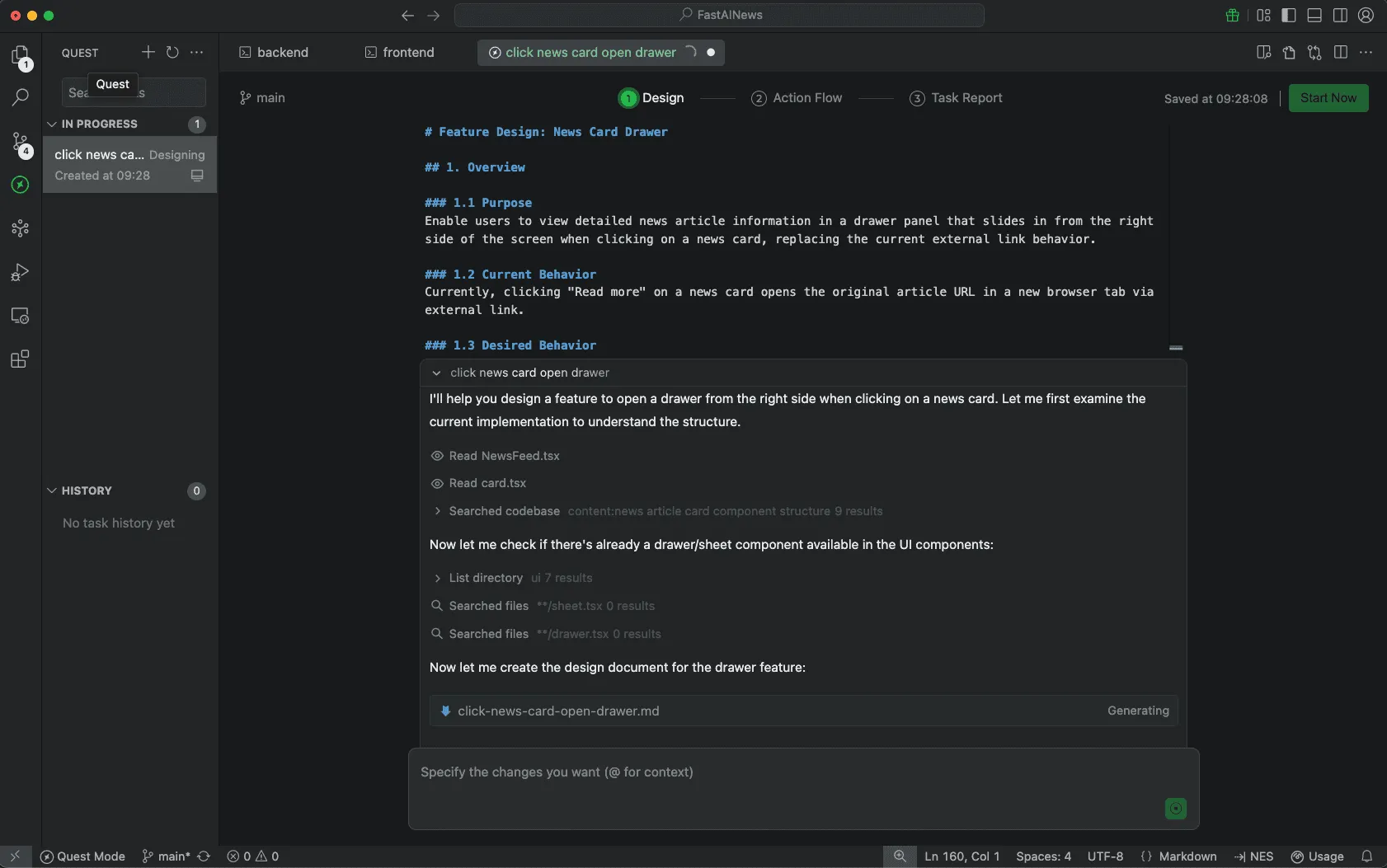
Quest Mode handles complex tasks through specification-driven development.
Workflow
- Click New Task and enter description
- Select Spec First for complex changes
- Choose Local or Remote execution
- Review the generated Spec, then click Start Now
Example Specification
# Feature Design: News Card Drawer

## 1. Overview

### 1.1 Purpose
Enable users to view detailed news article information in a
drawer panel that slides in from the right side of the screen
when clicking on a news card, replacing the current external
link behavior.

### 1.2 Current Behavior
Currently, clicking "Read more" on a news card opens the
original article URL in a new browser tab via external link.
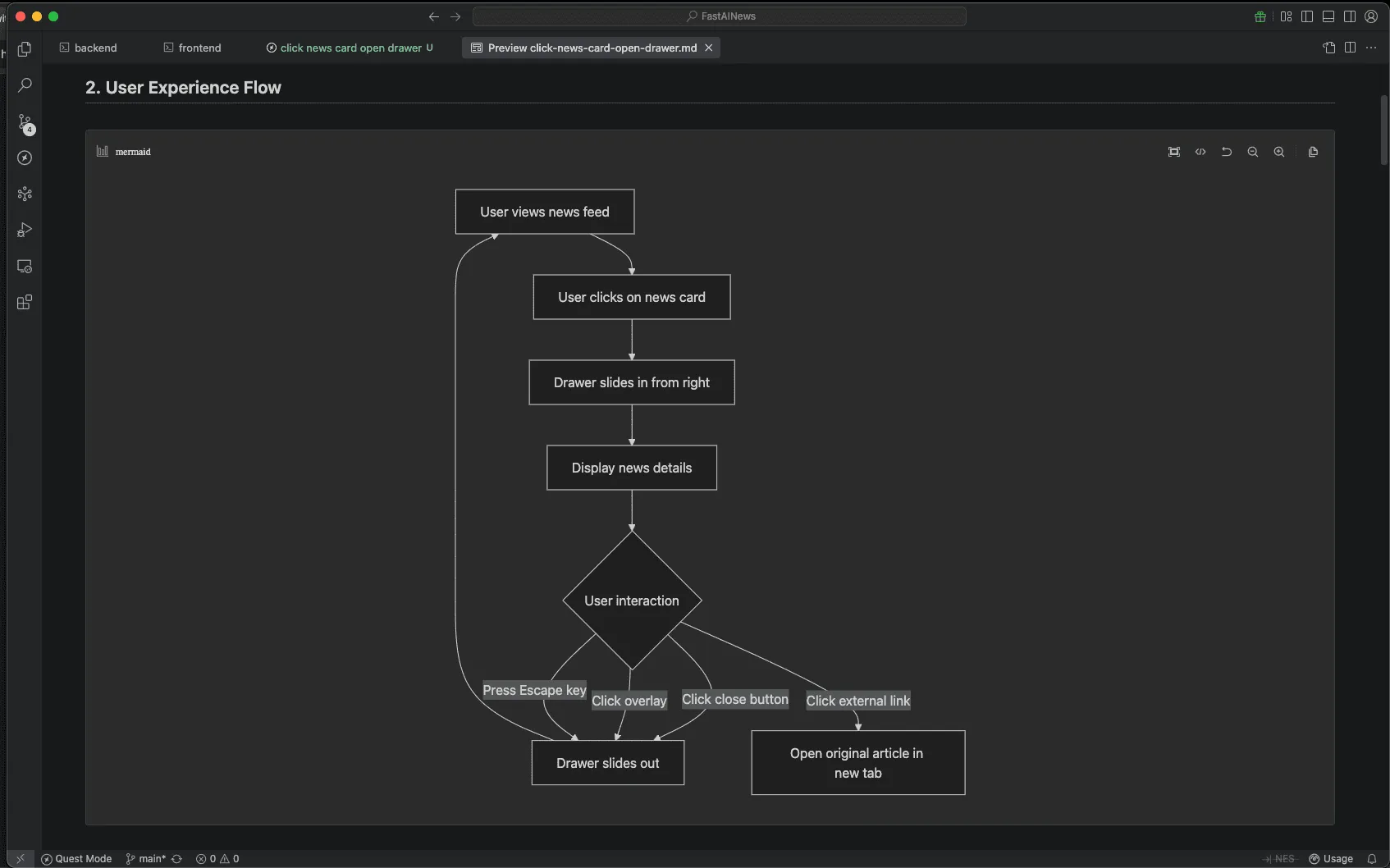
Quest Mode's spec-driven development automatically generates Mermaid flow diagrams to visualize data flows and UX interactions. These diagrams provide clear visual representations of the feature architecture, making it easier to understand component relationships and user journeys before implementation begins.
The Action Flow displays execution progress. Add requirements mid-task; Qoder adjusts dynamically. The Task Report summarizes changes with diffs for review.
Repo Wiki
Repo Wiki auto-generates structured documentation covering architecture, modules, and dependencies.
.qoder/repowiki/
├── architecture.md
├── modules/
│   ├── auth.md
│   └── payments.md
└── dependencies.md
Wiki generation takes approximately 120 minutes for 4,000 files. Commit the .qoder/repowiki/ directory to share with your team.
Memory and Rules
Configure persistent rules in .qoder/rules/:
rules:
  - name: TypeScript conventions
    description: Use strict TypeScript with explicit return types
  - name: Commit messages
    description: Follow conventional commits format
Add plain-English preferences in Settings > Memory:
Always use arrow functions for callbacks
Include JSDoc comments for exported functions
MCP Integration
Model Context Protocol connects Qoder to external tools.
Configure in Settings > MCP:
{
  "mcpServers": {
    "github": {
      "command": "npx",
      "args": ["-y", "@modelcontextprotocol/server-github"],
      "env": { "GITHUB_PERSONAL_ACCESS_TOKEN": "<TOKEN>" }
    }
  }
}
Use in Agent Mode:
Search for open issues labeled "bug" and create a summaryKeyboard Shortcuts
- AI Chat:
Cmd+L(macOS) /Ctrl+L(Windows) - Inline Chat:
Cmd+I(macOS) /Ctrl+I(Windows) - Settings:
Cmd+Shift+,(macOS) /Ctrl+Shift+,(Windows) - Apply changes:
Cmd+Enter(macOS) /Ctrl+Enter(Windows)
Practical Workflows
- New Projects: Describe requirements in Quest Mode to generate project scaffolding.
- Legacy Code: Let Repo Wiki initialize, then query architecture and dependencies.
- Refactoring: Define scope and constraints in Quest specifications:
Refactor UserRepository to Repository pattern.
Maintain backward compatibility.
Verify with existing test suite.
Best Practices
Write detailed Quest specifications; clear requirements improve output quality. Build rule libraries for consistent AI-generated code. Use Ask mode to understand codebases before editing with Agent mode. Monitor credit usage via the status bar.
Qoder represents a shift from AI-assisted to AI-delegated development, enabling focus on architecture while delegating implementation.
Get FREE Qoder Credits
🎉 Exclusive Partnership Opportunity!
AI Builders has partnered with Qoder to bring you FREE credits to experience the future of agentic coding! Don't miss out on this special offer—claim your FREE Qoder credits now and start building with AI-powered development today!